

Compliance That Fits Microsoft Dynamics Business Central Users
How Microsoft Dynamics 365 Business Central Moves Invoice Data Toward DGI
- Invoice Details Gathered: Relevant sales and billing information is collected from existing Microsoft Dynamics 365 Business Central records before electronic invoice preparation begins.
- Required Information Reviewed: Invoice data is examined against applicable DGI requirements to identify missing or inconsistent information before further processing.
- Business Data Validated: Customer, transaction, tax, and document information is checked to support accurate electronic invoice creation.
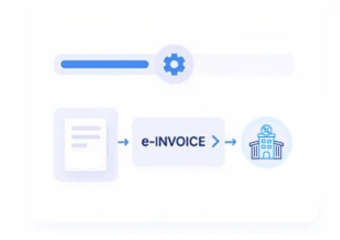
- Electronic Structure Prepared: Validated information is arranged into the appropriate electronic invoice structure for the applicable Morocco process.
- DGI Processing Initiated: The prepared invoice information moves through the applicable DGI electronic invoicing process for regulatory handling.
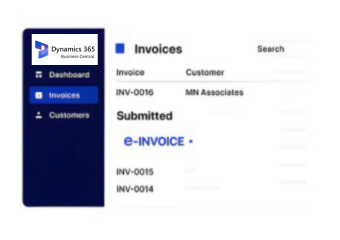
- ERP Records Updated: Relevant processing information can be associated with Microsoft Dynamics 365 Business Central records for continued operational visibility and reference.
Connecting Microsoft Dynamics 365 Business Central With Advintek's Invoice Workflow
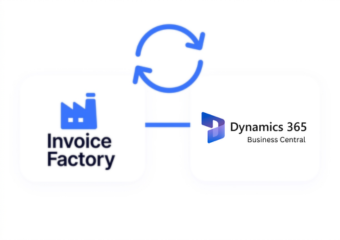
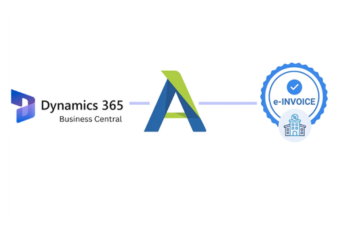
Microsoft Dynamics 365 Business Central manages core business records, while Advintek adds a dedicated route for Morocco’s DGI e-invoicing requirements. The connector helps translate relevant ERP information into an organized process while keeping existing business workflows connected.
- Transfer relevant invoice data from Business Central records.
- Map customer and tax information for processing.
- Coordinate electronic invoice information with DGI workflows.
- Keep processed invoice references linked with ERP records.
Why Microsoft Dynamics Users Choose Advintek
- Cleaner Invoice Administration: Existing Microsoft Dynamics 365 Business Central information can support organized invoice preparation with fewer disconnected manual activities.
- Consistent Customer Details: Customer records remain accessible, helping invoice teams work from established information across recurring transactions.
- Better Tax Data Handling: Relevant tax information can accompany invoice records, supporting clearer preparation before electronic processing activities begin.
- Connected Financial Visibility: Invoice activity stays associated with related records, making internal review and reference more straightforward.
- Reduced Data Re-entry: Reusing information already maintained in Microsoft Dynamics 365 Business Central can limit repetitive entry across connected invoicing activities.
- Support for Expanding Operations: Structured invoice workflows can accommodate changing transaction volumes while maintaining familiar Microsoft Dynamics 365 Business Central processes.
Complete Control Over Morocco E-Invoicing Workflows in One Platform
Information Transformation
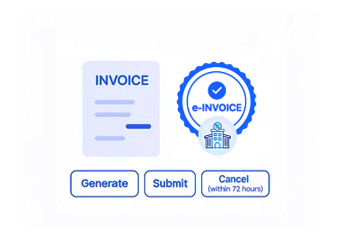
Relevant Business Central records can be transformed into structured invoice information suitable for the applicable Morocco electronic invoicing workflow.
Process Monitoring
Invoice activity can be followed across connected stages, helping teams identify processing progress and address information requiring attention.
Record Association
Processed invoice information can remain associated with originating Business Central records, supporting easier tracing during internal reviews.
Keeping Microsoft Dynamics 365 Business Central Aligned With DGI Expectations
Advintek provides a connection between Microsoft Dynamics 365 Business Central records and Morocco’s DGI electronic invoicing requirements, helping businesses organize invoice information before and during the applicable process.
- Support structured handling of Morocco invoice information.
- Maintain relevant tax and customer information together.
- Keep ERP records connected with invoice activity.
- Improve visibility across electronic invoicing operations.
Toward Connected Morocco Invoicing
Start organizing Business Central invoice workflows for Morocco DGI requirements.
Advintek can also connect other ERP, CRM, accounting, and business platforms alongside Microsoft Dynamics 365 Business Central, allowing businesses to coordinate country-specific electronic invoicing processes across their wider technology environment.
Ready e-Invoice System
Frequently Asked Questions Microsoft Dynamics e-Invoicing Morocco E
Does Microsoft Dynamics 365 Business Central provide Morocco e-invoicing by default?
Business Central manages core business and financial records, while Advintek can provide the additional connection required for the applicable Morocco DGI electronic invoicing workflow.
Which Business Central information can support electronic invoices?
Relevant sales, customer, tax, transaction, and financial information can be used where required for preparing and processing electronic invoices.
How does Advintek connect Business Central with Morocco's DGI process?
Advintek connects relevant Business Central invoice information with the applicable DGI electronic invoicing workflow, helping organize data between both environments.
Can invoice records remain associated with Business Central documents?
Yes. The connected workflow can maintain relationships between processed invoice information and corresponding Business Central records for reference and tracking.
Can the integration support growing Business Central operations?
The structured approach can accommodate changing invoice volumes while allowing teams to continue working within established Business Central processes.